Frequently Asked Questions
For assistance with Positive Pay, contact:
- UnitedOne Business Team
- Your dedicated relationship manager
- Or customer support through Business Digital Banking
To get started:
- Contact a member of the UnitedOne Business Team
They will guide you through setup, file formatting, and training.
If a check has not been uploaded, it will likely appear as an exception when presented. You will need to review and decide whether to pay or return it.
Your business is responsible for:
- Uploading accurate check issue files
- Monitoring and reviewing exceptions daily
- Making timely pay/return decisions
UnitedOne provides the tools, but your active participation is key to success.
No. UnitedOne’s Digital Banking platform is designed to be user-friendly. Training and support are available to help your business implement and manage the service efficiently.
You can make a loan payment through Digital Banking any time by transferring funds from your UnitedOne savings or checking accounts. If your loan is under a different member number, contact the credit union to set up cross-account transfer access. If your loan is under the same account as your savings/checking, you'll see your loan ID in your account list and can simply transfer your payment to your loan. Alternatively, use the "To Another Member" feature under "Transfers". You'll need the account number, loan ID, and member's last name.
You can join UnitedOne if you or an immediate family member live or work in Manitowoc, Sheboygan, Kewaunee or Door counties.
Once you open a checking account and apply for a debit card, it will take between 7 - 10 business days for you to receive your new debit card.
• UnitedOne's Digital Banking supports the current version of the most common Internet browsers and one version back, which is industry standard.
• Privacy settings must be at medium or lower, or add UnitedOne to your trusted sites.
• Delete all temporary Internet files prior to signing on.
You can withdraw up to $1,000 at an ATM and $2,500 for point-of-sale (signature based) transactions. If you use Digital Banking, you can adjust the POS transaction limit by going to Debit Cards and selecting Card Controls and then Manage Daily Card Limit.
- About UnitedOne
- Account Questions
- ATM Questions
- Auto Loan Questions
- Check Questions
- Checking Questions
- Courtesy Pay
- Debit Card Questions
- Deposit Questions
- Desktop Deposit
- Digital Banking Alerts
- Digital Banking Questions
- Entitlement
- General Product and Service Questions
- Loan and Credit Questions
- Miscellaneous Questions
- Mobile App Questions
- Mobile Deposit FAQs
- Mobile Wallet - Apple Pay®
- Mobile Wallet - Google Pay™
- Mobile Wallet - Samsung Pay®
- P2P Person-to-Person FAQs
- Positive Pay
- Rewards Checking Accounts - FAQs
- Savings Questions
About UnitedOne
• Routing & Transit Number - 275979173
• NMLS number - 439833
• Tax ID Number - 39-0126914
This service is available at select UnitedOne branch offices. Visit our Hours & Locations page to see which offices have coin counting equipment.
There is a fee to use coin counters if you are not a member of UnitedOne Credit Union.
If you are interested in viewing our latest financials, reports and other information, please review our annual report.
You can join UnitedOne if you or an immediate family member live or work in Manitowoc, Sheboygan, Kewaunee or Door counties.
You need to have a valid ID, proof of your mailing address, and your social security number. There is a minimum deposit of $5.00 required for a savings account and additional $25.00 for a checking account if ordering checks. You can open an account by visiting a branch or you can open an account online.
If you open a custodial account for your child, at what point does he/she have access rights to the funds in the account? A child will not be able to access the funds in a custodial account on their own until they reach age 21. At that point, the account is designated in the child's name and the custodian will no longer have access.
• Routing & Transit Number - 275979173
• NMLS number - 439833
• Tax ID Number - 39-0126914
The daily limit for ATM withdrawals is 6 withdrawals and the daily total withdrawal limit is $1,000.
You can make a loan payment through Digital Banking any time by transferring funds from your UnitedOne savings or checking accounts. If your loan is under a different member number, contact the credit union to set up cross-account transfer access. If your loan is under the same account as your savings/checking, you'll see your loan ID in your account list and can simply transfer your payment to your loan. Alternatively, use the "To Another Member" feature under "Transfers". You'll need the account number, loan ID, and member's last name.
Research the value of your vehicle or a vehicle you are interested in. There is very helpful online assistance for researching prices of new and used vehicles on this website.
The cost of buying checks depends on the style of checks you select. Browse the available styles on our check provider's site.
Unless otherwise stated on a check, you can cash a check written to you up to six months after the issue date listed on the check.
The amount of time for check holds varies. At the time you deposit a check, the UnitedOne teller will provide you with the number of business days the check will be on hold. On the final day of the hold, these funds will become available to you after midnight.
You can join UnitedOne if you or an immediate family member live or work in Manitowoc, Sheboygan, Kewaunee or Door counties.
The minimum for opening a UnitedOne checking account is 18 years of age. Members under the age of 18 can open a checking account jointly with someone 18 or older.
The cost of buying checks depends on the style of checks you select. Browse the available styles on our check provider's site.
Once you open a checking account and apply for a debit card, it will take between 7 - 10 business days for you to receive your new debit card.
You can withdraw up to $1,000 at an ATM and $2,500 for point-of-sale (signature based) transactions. If you use Digital Banking, you can adjust the POS transaction limit by going to Debit Cards and selecting Card Controls and then Manage Daily Card Limit.
Courtesy Pay is a discretionary service that may cover eligible transactions when your account balance is short, helping you avoid declined purchases and potential merchant return fees. It is not a line of credit, and payment is never guaranteed.
If we pay an overdraft, a $28 fee per item applies. This fee is the same as our standard non sufficient funds (NSF) fee.
Coverage is generally limited to $500 on non interest bearing accounts and $700 on interest bearing accounts, including fees.
Yes. ATM and one time debit card overdrafts require you to opt-in under federal regulations (Reg E). You can opt-in by contacting us or completing the Overdraft Services consent form.
Yes. A consumer may also revoke consent at any time in the manner made available to the consumer for providing consent. A financial institution must implement a consumer's revocation of consent as soon as reasonably practicable.
Your account must be in good standing, which includes:
- Being open for at least 90 days
- Bringing your balance positive at least once every 30 days for 24 hours
- No defaults on loans or legal restrictions
- Account not in dormant status
To activate your new UnitedOne Visa® Debit Card:
- Follow the instructions on the sticker on your new card.
- Sign the back of your card and keep it in a safe, convenient place.
- Destroy and discard your previous card. You can now begin using your new card immediately. This new card replaces your previous card. Once you have activated it, the balance on your previous card will automatically transfer to your new card.
UnitedOne Credit Union members have several debit card controls available to them inside Digital Banking. Below are things you can do relating to your UnitedOne Visa® Debit Card when you select the “Debit Cards” from the menu:
- Lock Card
Places a temporary lock on your debit card.
- Missing Card
Select this to report your debit card missing or stolen.
- Manage Debit Card Limit
Update the daily debit limit of your debit card.
- Damaged Card
Request to get a new debit card with the same number.
- Travel
Use the UnitedOne Mobile App to set up approved locations for your debit card use during a given date range while you travel.
No, we will order a new debit card for you. New debit cards are ordered during the first few days of the month of expiration. A new debit card should be received by the middle of the month. Please call us if it's the end of the expiration month and you haven't received your new debit card. Your debit card will work the whole month of the expiration date until you activate the new one.
Your debit card will work the whole month of the expiration date until you activate the new one. We will order a new debit card for you when your expiration date approaches. New debit cards are ordered during the first few days of the month of expiration. A new debit card should be received by the middle of the month. Please call us if it's the end of the expiration month and you haven't received your new debit card.
Once you open a checking account and apply for a debit card, it will take between 7 - 10 business days for you to receive your new debit card.
Call 1-866-594-6439. For security reasons, UnitedOne employees cannot change your PIN or activate your card. If you are experiencing problems, call UnitedOne at (920) 684-0361.
Immediately notify UnitedOne if you suspect there are fraudulent transactions being conducted with your debit card or if your card has been lost or stolen. If this is an "after business hours" event, use the Card function in Digital Banking to lock your card. If you do not have Digital Banking, immediately notify UnitedOne at (920) 684-0361 or and let Ollie know you are calling for "debit card fraud." If you're calling after business hours, let Ollie know you are calling for "debit card fraud" and select option 6 after he transfers you to our after-hours menu.
You can withdraw up to $1,000 at an ATM and $2,500 for point-of-sale (signature based) transactions. If you use Digital Banking, you can adjust the POS transaction limit by going to Debit Cards and selecting Card Controls and then Manage Daily Card Limit.
To find the ATM nearest you, visit our 24/7 PTM - ATM page.
You may see $1 or some other odd amounts listed for debit card hold amounts. There are standard debit card transaction holds that occur after you use your card at merchants such as pay-at-the pump gas stations and hotels, where your card number is provided before the final transaction amount is known. Once this transaction actually clears your account, the hold ends.
Prior to traveling, please use the Debit Card Controls function in the UnitedOne app to set up your card for travel. If you're unable to place a travel notice on your own, we also ask that you notify us with the dates and locations where you will be traveling so we can note your account and avoid problems. If you are traveling out of the country, Visa® will automatically convert your funds and charge the International fee for your transactions abroad.
Your debit card will work when you are traveling out of the U.S., though there may be times when a card may not work in a foreign country for any number of reasons. We encourage travelers to have a secondary payment source, such as a UnitedOne credit card, to use as a backup. If you experience debit card problems, call UnitedOne at (920) 684-0361 or and select option 6.
All purchases and cash withdrawals you make in foreign currencies using your UnitedOne debit card will be debited from your account in U.S. dollars. The exchange rate between the transaction currency and the billing currency used for processing international transactions is a rate set by Visa®.
A fee of 1 percent of the amount of the foreign transaction, calculated in U.S. dollars, will be imposed on all foreign transactions, including purchases, cash withdrawals and credits to your account. A foreign transaction is defined as any transaction that you complete or a merchant completes on your card outside of the U.S., excluding those made on U.S. military bases, and in U.S. territories, U.S. embassies or U.S. consulates.
The U.S. banking system is requiring all debit and credit cards be issued with what is known as an EMV chip (Europay MasterCard Visa). Your UnitedOne debit and credit cards now have EMV chips adding to their safety. Often, when traveling out of the U.S., you will see "chip" or "PIN-enabled" on a point of sale terminal or ATM. These designations are in reference to EMV chips and their ability to authenticate Visa and MasterCard transactions.
If you encounter any signature-based transaction difficulties with a European merchant, simply complete your transactions with a "PIN-preferred" terminal. For assistance, you also have the option of contacting UnitedOne directly at (920) 684-0361 or and selecting option 6.
Unless otherwise stated on a check, you can cash a check written to you up to six months after the issue date listed on the check.
The amount of time for check holds varies. At the time you deposit a check, the UnitedOne teller will provide you with the number of business days the check will be on hold. On the final day of the hold, these funds will become available to you after midnight.
Deposits made at UnitedOne become available immediately unless you are told otherwise by a Teller. Night deposits are available by 10:00 a.m. the following business day. Deposits at ATMs are available 72 hours after they are made.
The daily limit for ATM withdrawals is 6 withdrawals and the daily total withdrawal limit is $1,000.
If you fail to receive an ACH deposit to your account, your first step should be to check with the Payroll Department at your employer since the deposit comes from them direct to UnitedOne.
If your ACH date falls on a weekend or holiday, it is up to whomever is sending the deposit to UnitedOne to send it the business day before or business day after the weekend or holiday. If UnitedOne receives an ACH deposit on the weekend or on a holiday, the deposit will be completed on Monday morning. If Monday is a holiday, the deposit will be completed on Tuesday morning.
To wire funds to UnitedOne, please follow these instructions:
UnitedOne Credit Union
1117 South 10th St.
Manitowoc, WI 54220
ABA #275979173
Final Credit To: Member's name & account #
Wire transfers can only be processed on days when the Federal Reserve is open, which is Monday through Friday. The Federal Reserve is closed on all national holidays.
• Routing & Transit Number - 275979173
• NMLS number - 439833
• Tax ID Number - 39-0126914
Desktop Deposit allows you to make deposits with your computer using a check scanner. Simply login to your Digital Banking account on a computer and use a compatible scanner to deposit a batch of checks.
Login to your Digital Banking account and click on Desktop Deposit menu option. You will then be asked install the “Remote Deposit App” as a first-time user. Follow the prompts to install the “Remote Deposit App” on your computer and link to your compatible check scanner. Contact a UnitedOne team member at (920) 684-0361 to request the Desktop Deposit help guide to assist with using this time-saving Digital Banking tool.
Windows
Canon CR-120
Canon CR-180
Canon CR-190
Mac
Canon CR-L1
The funds from checks that are deposited by 5 p.m. CST Monday - Friday will be made available the next business day. Please note deposits are subject to holds.
You can deposit as many checks as needed, but please note that checks may be subject to review and check holds. If you regularly a substantial number of checks, you can request an increase in your daily limit. Contact a UnitedOne team member at (920) 684-0361 to apply for a higher limit.
There are no fees to use this tool within Digital Banking. Members will need to purchase a compatible check scanner.
Keep any checks you deposit with Desktop Deposit for at least 30 days.
If you have a business account, please contact a UnitedOne team member and ask to have the Business Portal added to your Digital Banking account. Using the entitlement feature within the Business Portal you can create logins for additional users, like an office manager, and give them access to Desktop Deposit.
No, any UnitedOne member that meets certain requirements can use Desktop Deposit if they purchase and install a compatible check scanner. However, if you don’t regularly have large batches of paper checks to deposit, a better option for depositing paper checks is Mobile Deposit using the UnitedOne Mobile App.
Alerts are emails or text messages sent to you to notify you of certain transactions or events which happen on your account. Each Alert can be sent to multiple emails or your mobile phone within minutes of the actual transaction or event.
Log into your Digital Banking account. To subscribe to Alerts, click on the Alerts icon (it looks like a bell) in the top right corner of Digital Banking. Then select the Alerts tab and follow the prompts to subscribe to Alerts. Watch this video to learn more about subscribing to Alerts.
Email addresses and your mobile phone number can all be assigned as default values by defining your account's default Alert settings. These default values will be pre-filled each time you add a new Alert to your account, making the process even quicker and easier.
Once you define your default Alert settings, any future Alerts you add will have the default values you specify pre-filled wherever they are appropriate. You can overwrite these defaults on any Alert at the time of addition if you'd like.
Click the "My Alerts" menu item then select the edit button to the right of the item you wish to change. This will bring up a form that will allow you to edit all of the details for this Alert. Click the "Continue" button once you have completed your changes.
You can change your default Alert settings at any time just like any other Alert. Any changes made will not be automatically applied to Alerts already defined on your account. These may be changed as needed.
The changes will not be applied automatically to any of your existing Alerts.
To permanently stop receiving a particular Alert, click the "Delete" (trash can) icon to the right of the Alert you wish to stop receiving. To temporarily stop receiving a particular Alert, click the bell icon to toggle disabling and enabling the Alert.
Check the box on the Contact Information that says, “I accept important messages from the credit union via email concerning my account." These may include special account information notices and other information from UnitedOne.
Yes. Simply add your ten-digit cellular phone number to the alert.
Alerts are received and sent as they are processed, typically within a few minutes of the transaction or event.
Immediately. Alerts are processed and sent in real time within a few minutes of the transaction or event. You will not receive any Alerts for transactions that occurred prior to when you set up the Alert.
Yes, all Alerts sent for the last 90 days are kept. You can view them by using the "History" menu item at the top of the screen. Enter a date range in the "Start Date" and "End Date" boxes, and then click "Get History" to see your past Alerts. You may also search for a specific transaction using the search box in the history shown.
There could be several reasons for alerts not showing up for you. For text messages, some devices hide texts that come from numbers that are not in your contact list. These are typically found, however, in an “Unknown Senders” folder and, depending on your settings, may not notify you as they arrive. Check this folder and add the text messages phone number to your phone's contacts. The same goes for email alerts, however these are often caught in your junk or spam mail folder. Add the sender’s email address to your contacts and that will help resolve the issue by having that address be “trusted” in the view of your email provider and device's software. Also, some providers also allow emails from certain sources to be classified as “important". Finally, double check the alerts themselves to be sure the delivery information is correct and the options for specific alerts are what should be reasonable for your accounts.
Check Clearing
This Alert is sent for any check clearing your account or a specific check number clearing on your account. You can optionally choose to include only checks over a certain amount.
Debit Card
This Alert is sent for any debit card transaction that posts to your account. You may optionally specify only debit card transactions over a certain amount.
Withdrawal
This Alert is sent for any withdrawal posted from your account. You may optionally specify only withdrawals over a certain amount.
Deposit
This Alert is sent for any deposit posted from your account. You may optionally specify only deposits over a certain amount.
Low Balance
This Alert is sent anytime a share balance falls below a threshold you set for the share. For instance, you could have an Alert that is sent when the balance falls below $100. Note that until the balance rises above the threshold, you will not receive the Alert again.
Balance Above
This Alert is sent anytime a share balance is above a threshold you set for the share. For instance, you could have an Alert that is sent when the balance is over $100. Note that until the balance falls below the threshold, you will not receive the Alert again.
Nearing Credit Limit
This Alert is sent once each day to advise that a line of credit balance is nearing or over the credit limit. A specific dollar amount can be entered (for instance, entering $100 would alert when it is within $100 of the credit limit) or set to zero which will Alert when the credit limit is reached or exceeded.
Transfer In (also: Transfer Out)
These Alerts notify you when funds that are transferred in or out of your account.
Loan Advance
This Alert is sent when a loan advance is posted to a loan. You may optionally specify amounts over a certain amount.
Loan Payment Due
This Alert notifies when you are a certain number of days away from a loan payment being due. Enter a number of days in the "Alert me this many days in advance" field.
Loan Payment Made
This Alert will notify when a payment has been received and posted to a loan. You may optionally specify receiving the Alert only for payments over a certain amount.
Daily Summary
This Alert is sent daily with available balances on share accounts and the available credit on lines of credit.
Pending ACH Items
This daily Alert will notify you of direct deposits and withdrawals pending for a later date.
Pending Debit Card
This Alert will notify of any card authorizations (fuel excluded, see below) received but not yet posted to the account. You may choose to be alerted only on amounts over a certain amount.
There is no limit to the number of Alerts you can sign up for. You can sign up for multiple types of Alerts as well as sign up multiple times for each type of Alert.
For example, you can set up a low balance Alert to be notified at home anytime your checking account balance drops below $200.00. You can then sign up for another low balance Alert and have it alert using your cellular phone anytime your account balance drops below $50.00.
No. The types that are available to you depend on two things, the first being the types of products you have. For example, if you have no loans then the Loan Payment Due Alert will not be applicable to your account.
Download our mobile app FREE at the App Store or get it on Google Play. To find our mobile app, search for “UnitedOne CU". If you have accessed Digital Banking before using a web browser, your login credentials will be the same. If you are attempting to login into Digital Banking for the first time, ensure you know your account number, last four digits of your SSN/TIN, email (must match primary email we have on file) and your date of birth (business members will need their business open date). Review and agree to the Terms and Conditions. You can then log in and start banking from your phone or tablet when and where you want.
Enjoy secure, instant access to your monthly statements. It only takes a minute to enroll.
Follow these quick steps to enroll:
- Log in to Digital Banking
- Choose “Statements” from menu
- Select “Manage Preferences”
- Toggle switch to “Go Paperless” to opt in
- Review disclosures and select “Accept”
Through UnitedOne's Digital Banking platform, you have access to your account whenever you want through a computer’s web browser and mobile devices, like a cell phone or tablet, using the mobile app.
You can do the following things in Digital Banking:
- View balances and history
- Transfer money
- Deposit checks
- Access debit card controls
- Make payments through Bill Payer
- Stop payments
- Apply for loan (auto or other consumer type and mortgage loans)
- View mortgage details
- View E-Statements
- View check copies
- Order checks
- Update account information
- Set up Alerts
- Send us a secure message
- Locate branches and ATMs
There are six icons used in the main menu of Digital Banking: Accounts, Move Money, Debit Cards, Desktop Deposit, Statements, and More Services.
- The navigation icons will be on the left when using Digital Banking from a desktop browser, while the navigation icons will appear at the bottom of the screen when using the mobile app.
- Transfers, Payments, and Bill Pay will be combined into one tab called Move Money.
- Shares, like savings and checking accounts, will appear as blue cards on the Accounts page. Loans will appear as green cards. You have the option to display all of these in a list instead of cards.
- Support, Settings, Alerts, Locations, and Logout can be found in the upper right corner.
- Advanced search functionality allows you to search all shares and loans at the same time.
- Download option for Quicken and QuickBooks moved from bottom to top of Accounts page, next to search bar.
You can access the web portal for Digital Banking by visiting www.UnitedOne.org and clicking on "Account Login" in the upper right and entering your "Username" and "Password" on the sign-in prompt that appears.
On your first sign-in attempt for Digital Banking on any browser or device, you will be required to retrieve a verification code from an email address or mobile phone number we have on file (aka 2-factor authentication). During this process you can opt to trust the browser/device you are using to skip 2-factor authentication on subsequent sign ins.
Biometric Authentication
After your first sign in on a mobile device, you can set up Face/Touch ID on iOS or Fingerprint on Android from the Security page. You must trust your device during the 2-factor authentication sign in process in order to use biometric authentication.
Watch this video tutorial to learn how to sign into Digital Banking for the first time.
To register as a new user for Digital Banking you will need to know:
- Your account number
- Last 4 of your SSN/TIN
- Email (must match the primary email we have on file)
- Your date of birth (business members will need their business open date)
Access Registration
From the sign in page on desktop, iOS, or Android, navigate to the registration page using the "Register" button.
Register
Fill out the registration form to verify your identity. If the information is correct, you will be prompted to create a username and password.
Please note that you will not need to enter anything in the field for "Account Verification Method." You will only need to select an account type and enter your account number, last four of your SSN/TIN, email address, and date of birth or open date for business members.
Watch this video to learn how to register for Digital Banking as a new user.
Watch this video to learn how to recover your Digital Banking username.
Watch this video to learn how to reset your Digital Banking password.
If you choose to receive your verification code via your email address and don't receive it, please check the following things:
- Make sure you are looking at the correct email address associated with your account.
- Add this email to your contacts: notifications@online.unitedone.org
- Check your spam or junk folder.
If you have done all the items above and are still not receiving an email with your verification code, try verifying via text message.
Yes, you can also use QuickBooks, Quicken, and Mint.
Modern devices should all be compatible with Digital Banking.
As with all our online services, UnitedOne utilizes the latest technology and encryption methods to keep your account activity safe. Plus, with Digital Banking no account data is ever stored on your device. If you ever lose your device you can quickly suspend Digital Banking access by contacting the credit union.
There are no fees associated with this service.
Yes, you will need to have an email address on file with UnitedOne Credit Union. Your login credentials and email address will be the same whether you’re accessing Digital Banking through a web browser or the UnitedOne Mobile App.
Yes, your login credentials will be the same for any device you use. You will be prompted for 2-factor verification the first time you sign in from a new device. You can opt to select to trust that device for future log-in attempts.
You can make a loan payment through Digital Banking any time by transferring funds from your UnitedOne savings or checking accounts. If your loan is under a different member number, contact the credit union to set up cross-account transfer access. If your loan is under the same account as your savings/checking, you'll see your loan ID in your account list and can simply transfer your payment to your loan. Alternatively, use the "To Another Member" feature under "Transfers". You'll need the account number, loan ID, and member's last name.
Our Digital Banking service does allow for these types of payments on certain loans. If the option is available, it will be offered at time of payment under the “Principal Only” tab. If the option isn’t offered, we will be happy to assist you at one of our offices with a principal only payment.
Since loans require an up-to-date payoff amount, these type of transactions cannot be made within Digital Banking. Please visit a UnitedOne office or call us for the amount of your loan payoff.
Transactions through Digital Banking are applied immediately. The only exception is loan payments for mortgage loan accounts with 10 digits, which may be processed at the end of the day and updated the next business day.
• UnitedOne's Digital Banking supports the current version of the most common Internet browsers and one version back, which is industry standard.
• Privacy settings must be at medium or lower, or add UnitedOne to your trusted sites.
• Delete all temporary Internet files prior to signing on.
The entitlement feature gives UnitedOne business account members the ability to add users in Digital Banking to manage their account. Custom limits and viewing privileges can be set for these additional users, allowing business members to maintain control while delegating tasks efficiently.
Desktop Deposit allows you to make deposits with your computer using a check scanner. Simply login to your Digital Banking account on a computer and use a compatible scanner to deposit a batch of checks.
The entitlement feature gives UnitedOne business account members the ability to add users in Digital Banking to manage their account. Custom limits and viewing privileges can be set for these additional users, allowing business members to maintain control while delegating tasks efficiently.
You can give entitlement users permission to view shares/loans, make deposits and withdrawals, and set their transaction limits. If permission has been granted for deposits and/or withdrawals, this includes transferring between the accounts the entitlement user has been given access to within Digital Banking.
You can set entitlement users to have access to Bill Pay, Desktop Deposit, and E-Statements.
Yes, you can add and remove users at any time using your Digital Banking account.
No, this is a free feature for UnitedOne business members.
Please contact UnitedOne to request to have the Business Portal turned on for your business account.
Download our mobile app FREE at the App Store or get it on Google Play. To find our mobile app, search for “UnitedOne CU". If you have accessed Digital Banking before using a web browser, your login credentials will be the same. If you are attempting to login into Digital Banking for the first time, ensure you know your account number, last four digits of your SSN/TIN, email (must match primary email we have on file) and your date of birth (business members will need their business open date). Review and agree to the Terms and Conditions. You can then log in and start banking from your phone or tablet when and where you want.
Mobile Deposit is a convenient, easy and safe way to remotely deposit checks into your UnitedOne account. With the UnitedOne Mobile App you can take a photo of your check, enter the check information and securely submit your check deposit to UnitedOne for processing. Mobile Deposit makes it unnecessary for you to visit a branch, saving you time and money.
Through UnitedOne's Digital Banking platform, you have access to your account whenever you want through a computer’s web browser and mobile devices, like a cell phone or tablet, using the mobile app.
For all the ins and outs of Touch Tone Teller, refer to the UnitedOne Touch Tone Teller Guide.
This service is available at select UnitedOne branch offices. Visit our Hours & Locations page to see which offices have coin counting equipment.
There is a fee to use coin counters if you are not a member of UnitedOne Credit Union.
Notary service is available at all offices at no charge to UnitedOne members. Please bring a photo ID with you and the documents you need notarized.
UnitedOne Credit Union does not accept or provide foreign currency.
Learn how to update your email, phone number(s), and address in Digital Banking.

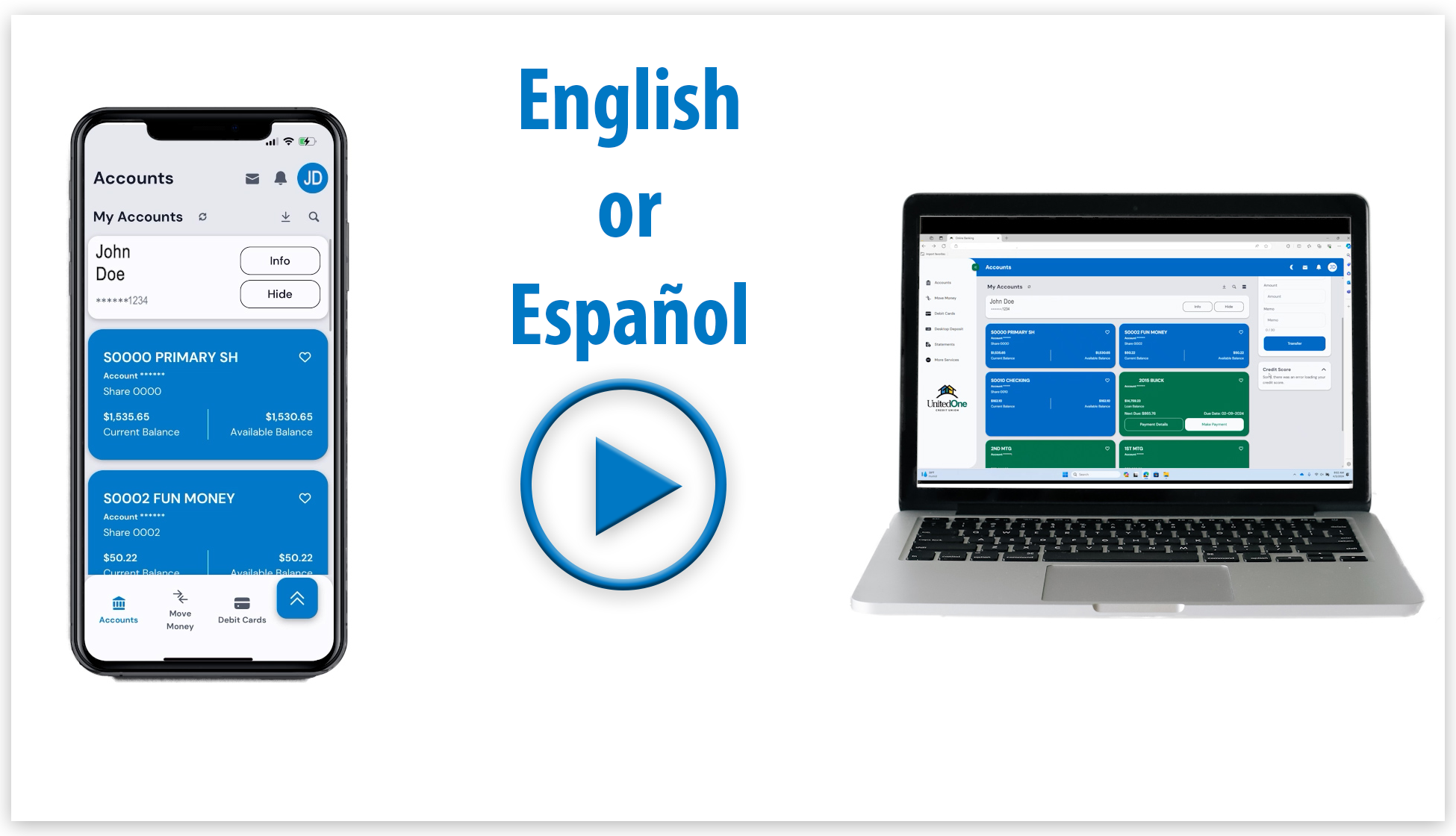
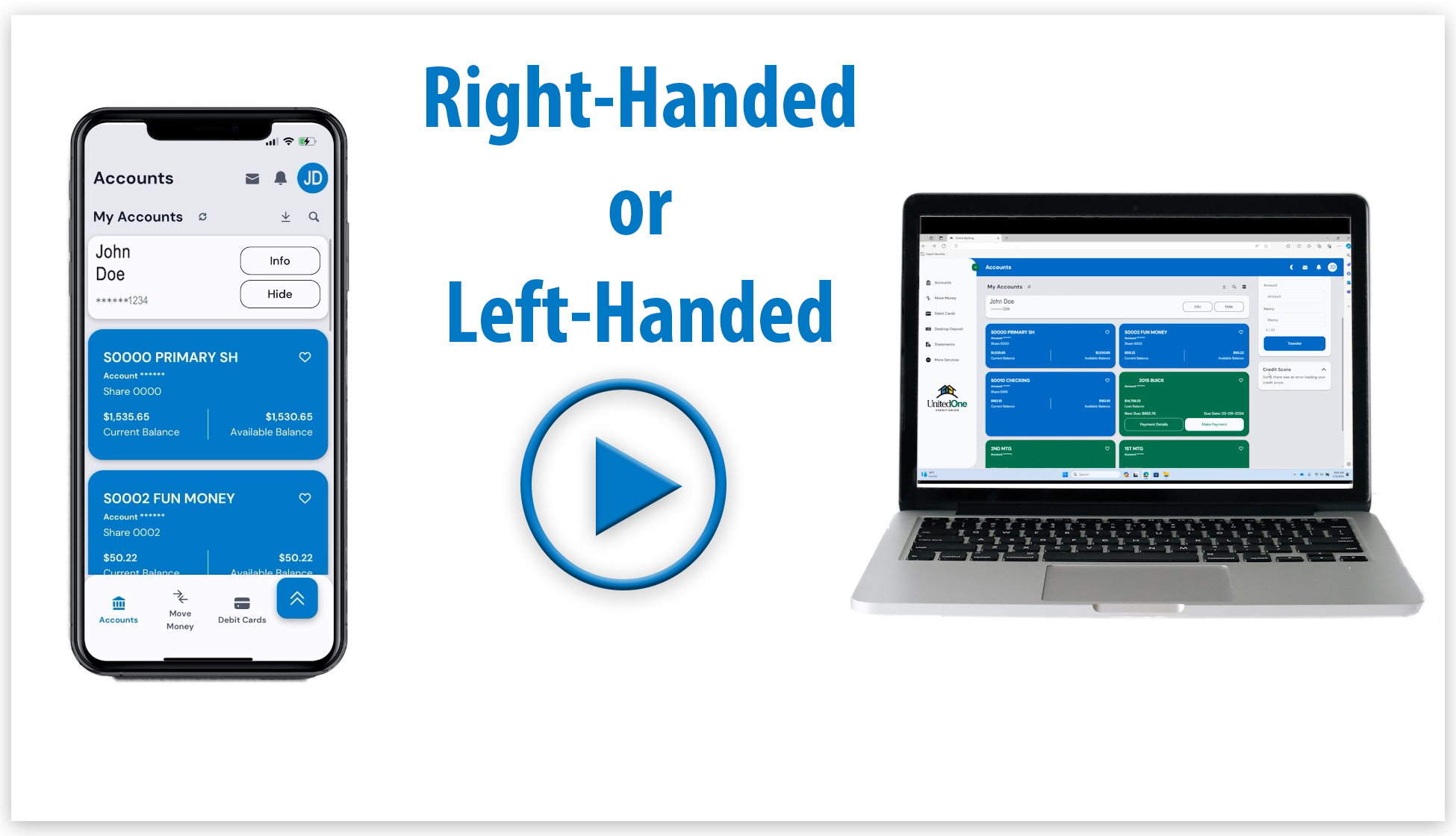
You can make a loan payment through Digital Banking any time by transferring funds from your UnitedOne savings or checking accounts. If your loan is under a different member number, contact the credit union to set up cross-account transfer access. If your loan is under the same account as your savings/checking, you'll see your loan ID in your account list and can simply transfer your payment to your loan. Alternatively, use the "To Another Member" feature under "Transfers". You'll need the account number, loan ID, and member's last name.
Our Digital Banking service does allow for these types of payments on certain loans. If the option is available, it will be offered at time of payment under the “Principal Only” tab. If the option isn’t offered, we will be happy to assist you at one of our offices with a principal only payment.
Since loans require an up-to-date payoff amount, these type of transactions cannot be made within Digital Banking. Please visit a UnitedOne office or call us for the amount of your loan payoff.
Research the value of your vehicle or a vehicle you are interested in. There is very helpful online assistance for researching prices of new and used vehicles on this website.
Payments are accepted for Elan transactions at all offices. If you are paying by check, make the check out to UnitedOne Credit Union. Credit card payments can also be accepted over the phone.
All consumer and mortgage loans from UnitedOne Credit Union do not have a pre-payment penalty, which means you can make extra payments or pay off your loan early without any additional fees. However, prepayment penalties may apply to some business loans, so we recommend reviewing your loan agreement by making an appointment with us to confirm details of your specific loan.
For all the ins and outs of Touch Tone Teller, refer to the UnitedOne Touch Tone Teller Guide.
• Routing & Transit Number - 275979173
• NMLS number - 439833
• Tax ID Number - 39-0126914
This service is available at select UnitedOne branch offices. Visit our Hours & Locations page to see which offices have coin counting equipment.
There is a fee to use coin counters if you are not a member of UnitedOne Credit Union.
You can use the UnitedOne app with mobile devices operating one of the most recent Android and iOS operating systems.
Through UnitedOne's Digital Banking platform, you have access to your account whenever you want through a computer’s web browser and mobile devices, like a cell phone or tablet, using the mobile app.
You can do the following things in Digital Banking:
- View balances and history
- Transfer money
- Deposit checks
- Access debit card controls
- Make payments through Bill Payer
- Stop payments
- Apply for loan (auto or other consumer type and mortgage loans)
- View mortgage details
- View E-Statements
- View check copies
- Order checks
- Update account information
- Set up Alerts
- Send us a secure message
- Locate branches and ATMs
As with all our online services, UnitedOne utilizes the latest technology and encryption methods to keep your account activity safe. Plus, with Digital Banking no account data is ever stored on your device. If you ever lose your device you can quickly suspend Digital Banking access by contacting the credit union.
There are no fees associated with this service.
On your first sign-in attempt for Digital Banking on any browser or device, you will be required to retrieve a verification code from an email address or mobile phone number we have on file (aka 2-factor authentication). During this process you can opt to trust the browser/device you are using to skip 2-factor authentication on subsequent sign ins.
Biometric Authentication
After your first sign in on a mobile device, you can set up Face/Touch ID on iOS or Fingerprint on Android from the Security page. You must trust your device during the 2-factor authentication sign in process in order to use biometric authentication.
Watch this video tutorial to learn how to sign into Digital Banking for the first time.
To register as a new user for Digital Banking you will need to know:
- Your account number
- Last 4 of your SSN/TIN
- Email (must match the primary email we have on file)
- Your date of birth (business members will need their business open date)
Access Registration
From the sign in page on desktop, iOS, or Android, navigate to the registration page using the "Register" button.
Register
Fill out the registration form to verify your identity. If the information is correct, you will be prompted to create a username and password.
Please note that you will not need to enter anything in the field for "Account Verification Method." You will only need to select an account type and enter your account number, last four of your SSN/TIN, email address, and date of birth or open date for business members.
Watch this video to learn how to register for Digital Banking as a new user.
Yes, you will need to have an email address on file with UnitedOne Credit Union. Your login credentials and email address will be the same whether you’re accessing Digital Banking through a web browser or the UnitedOne Mobile App.
Keep any checks you deposit with Mobile Deposit for at least 30 days.
Funds deposited through Mobile Deposit will show up in your account right away, though may be subject to a hold. Please review our Mobile Deposit Terms and Conditions for more details.
Yes, your login credentials will be the same for any device you use. You will be prompted for 2-factor verification the first time you sign in from a new device. You can opt to select to trust that device for future log-in attempts.
Modern devices should all be compatible with Digital Banking.
Download our mobile app FREE at the App Store or get it on Google Play. To find our mobile app, search for “UnitedOne CU". If you have accessed Digital Banking before using a web browser, your login credentials will be the same. If you are attempting to login into Digital Banking for the first time, ensure you know your account number, last four digits of your SSN/TIN, email (must match primary email we have on file) and your date of birth (business members will need their business open date). Review and agree to the Terms and Conditions. You can then log in and start banking from your phone or tablet when and where you want.
Mobile Deposit is a convenient, easy and safe way to remotely deposit checks into your UnitedOne account. With the UnitedOne Mobile App you can take a photo of your check, enter the check information and securely submit your check deposit to UnitedOne for processing. Mobile Deposit makes it unnecessary for you to visit a branch, saving you time and money.
Keep any checks you deposit with Mobile Deposit for at least 30 days.
Funds deposited through Mobile Deposit will show up in your account right away, though may be subject to a hold. Please review our Mobile Deposit Terms and Conditions for more details.
No. Currently there is no charge associated with this service. However, there may be charges associated with text messaging and data usage on your phone.
This free service within Digital Banking automatically becomes available to members once they are eligible. All active Digital Banking users will see the Mobile Deposit button, however, not all Digital Banking users may be eligible for Mobile Deposit.
First, you must have a valid email address on record with UnitedOne, and be enrolled and actively using our Digital Banking service. In addition, the following criteria must be met to be eligible for Mobile Deposit:
- A primary account owner must be at least 12 years old on consumer accounts.
- The account tied to Digital Banking must be open for at least 30 days.
- The account tied to Digital Banking has not "opted-out" of Mobile Deposit, or the service has not been revoked or disabled for other reasons.
You can access Mobile Deposit through iOS and Android enabled mobile devices. Older iPhones and devices without a camera are not supported. Your device must also have an auto-focus camera. A fixed-focus camera is incapable of taking a clear enough image for check processing. You need to download and install the latest version of UnitedOne's app to have access to the Mobile Deposit camera controls in Digital Banking while using a mobile device.
First, endorse your check with your signature and write "For Mobile Deposit Only at UnitedOne CU" in the endorsement section of the check. If a check is not properly endorsed, it will be rejected. Next, place your check on a flat, dark surface with good lighting and take a photo of the front and back of the check. Next submit the photos of your check to UnitedOne for processing.
Successfully submitted check images take processing time to complete. Review your "Account History" to view the status of your deposit. Funds may be subject to a hold.
If a check has been successfully submitted you will see this message on your device's screen: “Deposit Result: Your deposit has been submitted.”
At times, Mobile Deposit may be temporarily unavailable. This may be due to system maintenance or technical difficulties with your internet service provider and/or internet software. If Mobile Deposit is unavailable, you can deposit checks in person at any UnitedOne branch, at an ATM that accepts deposits or by U.S. mail.
During UnitedOne business hours, within your UnitedOne Mobile APP, press the "Support" button on the left menu, and then select the phone number to call us. You may also reach us at (920) 684-0361, or visit any branch for assistance.
Outside of business hours, please sign in to Digital Banking and press the "Support" option on the left menu and select "Messages." We will respond to you within four business hours.
A mobile wallet is a form of wireless payment technology provided by your mobile device’s provider. It allows you to store your UnitedOne debit card information in a digital, secure and convenient manner on your mobile device. Instead of using your physical debit card to make payments, you can pay using your smartphone, tablet or smartwatch. A mobile wallet provides you with increased convenience and security while accessing your checking account funds through your debit card. Other payment cards can also be stored in your mobile wallet.
- A compatible Apple device with internet access
- Your UnitedOne debit card
- The latest version of iOS, watchOS, or macOS
- An Apple ID signed in to iCloud
There are no fees to set up or use your debit card in Apple Pay.
Absolutely! With Apple Pay, your actual card number is never shared. Your transactions are processed differently than using your physical card. Your actual card number is not stored on your device or Apple servers. Instead, a device-specific account number is created. Every transaction made with your device also requires you to authenticate with Touch ID or your passcode.
- Go to Wallet > Add Credit or Debit Card and tap Next.
- If you’re asked to add the card that you use with iTunes, enter its security code and then tap Add a Different Card. You can choose to add card by aligning your card inside the frame so Apple Pay can automatically detect your card number and expiration date or you can enter your card details manually.
- Tap Next. Review Terms and Conditions and then tap Agree. You’ll be prompted to call us at (920) 684-0361 to verify your information. If we need more information to verify your card, we'll ask you for it. Go back to Wallet and tap your card to enter it. After we verify your card, you can tap Next to start using Apple Pay.
If for any reason Apple Pay needs further verification, you’ll get a prompt on your device to “Call your bank.” Call us at (920) 684-0361. It’s very important that we have your current contact information so your verification codes are sent to the right email address or phone number. If you call outside normal business hours, please choose option 6, our Debit Card prompt, then option 5, and leave a message. A member of our eServices team will return your call the next business day.
- In person: Rest your finger on Touch ID and hold your iPhone within a few centimeters of the contactless reader until you see Done and a checkmark on the display. If Touch ID isn’t on your device, you will be asked to enter your passcode to unlock your device. In some cases you may need to sign a receipt or enter your PIN.
- Online and in apps: Look for the “Buy with Apple Pay” or “Apple Pay” buttons at checkout.
You can go to the Apple ID account web page appleid.apple.com or use the Find My iPhone app to suspend or permanently remove the ability to pay from that device with Apple Pay, or call us at (920) 684-0361. Your card will be removed from Apple Pay even if the device is offline.
Go to Settings, choose Wallet and select Apple Pay, tap the card you want to remove and then tap Remove Card.
- In Apple Pay: When you view your card in Wallet, you’ll see the last transaction for each card you’re using Apple Pay with. The last 30 days of mobile wallet transactions will display when selecting a card.
- On monthly statements: Your transactions will appear the same as they do when using your card, a debit card withdrawal.
Please notify UnitedOne Credit Union immediately about any unauthorized charges.
You may contact UnitedOne or Apple support.
A mobile wallet is a form of wireless payment technology provided by your mobile device’s provider. It allows you to store your UnitedOne debit card information in a digital, secure and convenient manner on your mobile device. Instead of using your physical debit card to make payments, you can pay using your smartphone, tablet or smartwatch. A mobile wallet provides you with increased convenience and security while accessing your checking account funds through your debit card. Other payment cards can also be stored in your mobile wallet.
- A compatible Android device with internet access
- Your UnitedOne debit card
- To make in-store payments, your phone also needs to support NFC (Near Field Communication) and HCE (Host Card Emulation). To check for NFC, look for it in your phone’s Settings app.
There are no fees to set up or use your debit card in Google Pay.
Absolutely! With Google Pay, your actual card number is never shared. Instead, a virtual account number is used so the card details are always kept safe. Also, if your device has been turned off, lost or otherwise inactive for the last 90 days, then cards will be deleted.
- Download the Google Pay app from Google Play™ and open it.
- If you have multiple Google Accounts in Google Pay, at the top left of the app, touch your name, then choose the account you want to add a card to.
- At the bottom right, tap +.
- Tap Add a credit or debit card.
- Use the camera to capture the card information or enter it manually.
- If you are asked to verify your card, you will be prompted to call UnitedOne Credit Union at (920) 684-0361.
- Find and enter the verification code.
Note: After you add a card, you might see a small temporary charge on your account. It won’t affect your balance and will disappear soon after.
Android requires all its device users to be verified for Google Pay. Verification helps protect your account. You’ll get a prompt on your device to “Call your bank.” Our number will be listed and we’ll help you from there. Call UnitedOne directly at (920) 684-0361. It’s very important that we have your current contact information so your verification codes are sent to the right email address or phone number. If you call outside normal business hours, please choose option 6, our Debit Card prompt, then option 5, and leave a message. A member of our eServices team will return your call the next business day.
- In person: Unlock your phone and place near a contactless terminal. Payment confirmation will show on your device. To complete your transaction, you may need to sign a receipt or enter your PIN.
- Online and in apps: Look for the Google Pay purchase buttons at checkouts.
You can use Find My Device to instantly lock it from anywhere, secure it with a new password, or wipe it clean of personal data. You can also call UnitedOne Credit Union and we can suspend Google Pay.
Open the Google Pay app, tap the card you want to remove, scroll down and then tap Remove Card. Be aware that removing a card from Google Pay may not remove it from your payments profile in Google Payments Profile.
- In Google Pay: Open the Google Pay app, touch the card you used to pay, find and tap your transaction.
- On monthly statements: Your transactions will show as a Withdrawal Consumer Debit from the merchant.
Please notify UnitedOne Credit Union immediately about any unauthorized charges.
You may contact UnitedOne Credit Union or Google Pay Help.
A mobile wallet is a form of wireless payment technology provided by your mobile device’s provider. It allows you to store your UnitedOne debit card information in a digital, secure and convenient manner on your mobile device. Instead of using your physical debit card to make payments, you can pay using your smartphone, tablet or smartwatch. A mobile wallet provides you with increased convenience and security while accessing your checking account funds through your debit card. Other payment cards can also be stored in your mobile wallet.
- A compatible Samsung device with internet access
- Your UnitedOne debit card
- A Samsung account
- A registered fingerprint or Samsung Pay PIN
- To be located in the USA (only while setting up)
There are no fees to set up or use your debit card in Samsung Pay.
Absolutely! With Samsung Pay, your actual card number is never shared. Your transactions are processed differently than using your physical card. With Samsung Pay, a unique randomized set of numbers is used at each new transaction. Your card information is encrypted in a separate and secure data vault at all times.
Go to your Apps and open Samsung Pay.
Touch ADD > Add a credit card or debit card. Align your card inside the frame. Samsung Pay will automatically detect your card number and expiration date.
Enter any remaining required information, then touch Next.
Review the Terms of Service, then touch Agree to All.
Samsung requires all its device users to be verified for Samsung Pay. Verification helps protect your account. You’ll get a prompt on your device to “Call your bank.” Our number will be listed and we’ll help you from there. Call UnitedOne directly at (920) 684-0361. It’s very important that we have your current contact information so your verification codes are sent to the right email address or phone number. If you call outside normal business hours, please choose option 6, our Debit Card prompt, then option 5, and leave a message. A member of our eServices team will return your call the next business day.
- In person: It takes just seconds to open Samsung Pay on your device, swipe to the desired card, verify your identity, and place the back of your device on the merchant’s payment terminal to complete your purchase. Some merchants may require you to sign a receipt or enter your PIN.
- Online and in apps: Look for the Samsung Pay purchase buttons at checkouts.
You can remotely lock or erase your Samsung Pay account with Find My Mobile, or call us at (920) 684-0361 for assistance.
To remove your card from Samsung Pay, open Samsung Pay, touch Credit/Debit, touch the card, then touch the More Options icon. Choose Delete Card, and then Delete.
- In Samsung Pay: Touch Credit/Debit, touch your card, then swipe up from the bottom of the screen to see your recent transactions.
- On monthly statements: Your transactions will show as a Withdrawal Consumer Debit from the merchant.
Please notify UnitedOne Credit Union immediately about any unauthorized charges.
You may contact UnitedOne or Samsung support.
P2P, also known as person-to-person or peer-to-peer payments, is a Digital Banking tool that allows you to transfer funds from your account to another individual’s account via a mobile or internet-connected device.
You can send anyone a payment via check, text message, email or direct deposit. When the payee is initiated, the other person receives notifications to input their personal information where the funds shall be sent, and accept payment.
You can send a payment to anyone in the U.S. – even if they're not a UnitedOne member. Business account holders can also use P2P.
You must have a checking account, Digital Banking and Bill Payer to access P2P. You can access it using the browser or mobile app version of Digital Banking.
After signing into Digital Banking, click on Bill Bay in the left menu. Click the “Payee” tab towards the top if you are using a web browser or select the “+Payee” button if you are using the mobile app.
If you are paying a business, try typing in the search bar the business’ name and see if it populates or scroll to the bottom and select “Pay a company (e.g. Credit card, utilities, or cable)” and click on “Entering information on my billing statement.” You’ll be prompted to type in the payee’s name, the account number you have with the payee and the payee’s zip code.
If you are adding a person to pay, scroll down to the bottom and select “Pay a person (e.g. Friend or relative).” You’ll be prompted with three options to send the money: 1) Email or text message (Electronic); 2) Direct Deposit (Electronic); 3) Check. For the “Email or text message” option, you enter the person’s email or mobile phone number that you want to pay. They then receive an email or text message and our prompted to enter their account information. For the “Direct deposit (Electronic) option, you must having the person’s routing number and account number to enter yourself. For the Check option, you need to enter the person’s name and address.
After signing into Digital Banking, click on Bill Bay in the left menu. Scroll down and find the payee you would like to pay from your list of existing payees. Enter an amount and click “Pay.”
The standard daily limit is $2,500 for P2P. When using the "Pay a Person" function through Digital Banking, the limit is $1,500 per transaction and $2,000 per day to pay an individual.
iPay will only allow payments within the U.S. and its territories, to include military addresses (APO/AE).
New – Allows you to pay an existing payee.
History – Shows history for past 18 months of processed, pending and canceled payments.
Payee – Listing of current payees. Payees will show multiple times if you have different methods of payments set up for one person (text, email). It is recommended when setting up a payee to put the method payment for future reference (Example: Susie Smith-Email or Susie Smith-Text).
Via check – Payee’s name, address and phone number.
Via text message – Payee's name, mobile phone number and create a keyword. You will need to share the keyword with the payee immediately so they can access the secure payment information.
Via email – Payee's name, email and create a keyword. You will need to share the keyword with the payee immediately so they can access the secure payment information. After three failed login attempts, the payee will be locked.
Via direct deposit –You will need to have the payee's name, mobile phone number, account number and type (checking/savings), and routing number. A nickname is optional.
Only pending payments can be cancelled. You will need to click on the "History" tab and select the transaction. This will open a second screen that gives transaction details. You can cancel the pending payment by clicking on the "Cancel Payment" section located at the bottom of the screen. This will open a second screen where you will need to confirm they want to cancel the payment.
The payee will need to know the keyword that you created and sent to them when you setup the payment. After three failed login attempts, the payee will be locked. After 24 hours, the system will automatically unlock the recipient, and they may re-enter their keyword.
With email, text message or direct deposit the payee will receive payment within 1-2 business days. If paid via check, it is mailed and paid within 5-7 business days.
You receive a 60-day trial period for no charge. If, after the 60 days P2P or Bill Payer aren’t used once a month, a fee of $6 is assessed. After three consecutive months of inactivity, your Bill Pay service may be cancelled.
You can call UnitedOne at (920) 684-0361. You can also call iPay at 1-866-248-0355.
Positive Pay is a fraud prevention service offered by UnitedOne Credit Union to help safeguard your business checking account from check fraud. It works by matching checks presented for payment against a list of checks you have issued.
When your business issues checks, you submit a check issue file through UnitedOne’s Business Digital Banking system. As checks are presented for payment:
- UnitedOne compares them to your issued check file
- Matching items are processed normally
- Any discrepancies are flagged as exceptions for your review
To get started:
- Contact a member of the UnitedOne Business Team
They will guide you through setup, file formatting, and training.
No. UnitedOne’s Digital Banking platform is designed to be user-friendly. Training and support are available to help your business implement and manage the service efficiently.
- Strong protection against check fraud
- Greater control over account activity
- Timely alerts for suspicious transactions
- Enhanced reconciliation and audit support
- Peace of mind knowing your account is monitored
Positive Pay helps protect your business from:
- Altered checks
- Forged signatures
- Counterfeit checks
- Duplicate check presentments
Positive Pay is designed for check fraud. However, UnitedOne Credit Union may offer additional services such as ACH filters or blocks to help protect against unauthorized electronic transactions.
An exception item in Positive Pay is a check that does not match your issued check file. This may happen if:
- The amount differs
- The check number does not match
- The check was not previously reported
- There is a potential alteration or fraud attempt
You will be notified to review and decide whether to pay or return the item.
Payee Positive Pay is an enhanced service that verifies the payee name in addition to the check number and amount. This provides an extra layer of protection against altered or counterfeit checks.
UnitedOne Credit Union provides exception items through its secure Digital Banking platform.
You should review exceptions daily before the cutoff time to ensure unauthorized checks are not processed.
If no action is taken by the deadline, the item will be processed according to your preset default instructions (either “pay” or “return”). Prompt review is essential to prevent fraud.
UnitedOne recommends uploading files:
- Each time checks are issued, or
- At minimum, daily
This ensures all checks can be properly verified.
Your file typically includes:
- Account number
- Check number
- Check amount
- Issue date
- Payee name (for Payee Positive Pay users)
UnitedOne will provide formatting guidance and templates during setup.
Your business is responsible for:
- Uploading accurate check issue files
- Monitoring and reviewing exceptions daily
- Making timely pay/return decisions
UnitedOne provides the tools, but your active participation is key to success.
If a check has not been uploaded, it will likely appear as an exception when presented. You will need to review and decide whether to pay or return it.
For assistance with Positive Pay, contact:
- UnitedOne Business Team
- Your dedicated relationship manager
- Or customer support through Business Digital Banking
UnitedOne Credit Union offers members the opportunity to earn rewards with these checking accounts: High Yield Checking, Cash Back Checking, and Payback Rewards Checking.
You need to have 12 signature-based or point-of-sale (POS) transactions post and settle to your account per Monthly Qualification Cycle, have 1 ACH debit, credit or 1 Bill Pay transaction, and enroll in E-Statements to qualify for the account’s rewards.
No, both the primary and joint members debit card transactions count towards the 12 debit card transactions.
If you don’t qualify, you can try again next month.
A Rewards Checking account might not be the best fit for you if you don’t want to enroll in E-Statements. E-Statements are a requirement to earn rewards. If you never enroll in E-Statements, you will never earn the rewards, and be charged a paper statement fee.
Rewards are posted on the last day of the month.
If you have a High Yield Checking or Cash Back Checking account paired with a High Yield Savings or Cash Back Savings account, the rewards will be posted to the checking account and then swept to savings account. If you have a High Yield Checking or Cash Back Checking account but no High Yield Savings or Cash Back Savings account, the rewards will be posted to your checking account. Payback Rewards Checking rewards are posted directly to your checking, as Payback Rewards Checking accounts cannot be paired with a savings account.
No, Payback Rewards Checking rewards are reimbursements for purchases made.
You are allowed one Rewards Checking account per Social Security Number. If you are primary on two accounts, you can only have one be a Rewards Checking account. However, if you are primary on one account, and joint on another, you could be joint on the additional Rewards Checking account.
The qualification cycle is the timeframe in which you must complete your 12 debit card transactions, 1 ACH debit, credit, or Bill Pay transaction, and have E-Statements.
The Monthly Qualification Cycle is defined as one day prior to the first banking day of the current statement cycle through one day prior to the last banking day of the current statement cycle (Example: 12/31/2025-1/30/2026) UnitedOne Credit Union statement cycle is the first of the month through the last the last of the month (Example: 1/1/2026-1/31/2026).
No, you can only access your primary share and your checking account with your debit card.
No, you’re still required to have a primary share.
No, you can only have one savings account linked to a Rewards Checking account. The High Yield Savings or Cash Back Savings has to be linked to a Rewards Checking account to work appropriately.
You can join UnitedOne if you or an immediate family member live or work in Manitowoc, Sheboygan, Kewaunee or Door counties.
You need to have a valid ID, proof of your mailing address, and your social security number. There is a minimum deposit of $5.00 required for a savings account and additional $25.00 for a checking account if ordering checks. You can open an account by visiting a branch or you can open an account online.
If you open a custodial account for your child, at what point does he/she have access rights to the funds in the account? A child will not be able to access the funds in a custodial account on their own until they reach age 21. At that point, the account is designated in the child's name and the custodian will no longer have access.
Thanks for being part of UnitedOne.
Call or text us at (920) 684-0361, or email us at mail@UnitedOne.org. Proudly serving Manitowoc, Sheboygan, and surrounding communities.
Make Appointment Contact Us Hours & Locations